
Mechanical Versus Electronic Access for Your Door
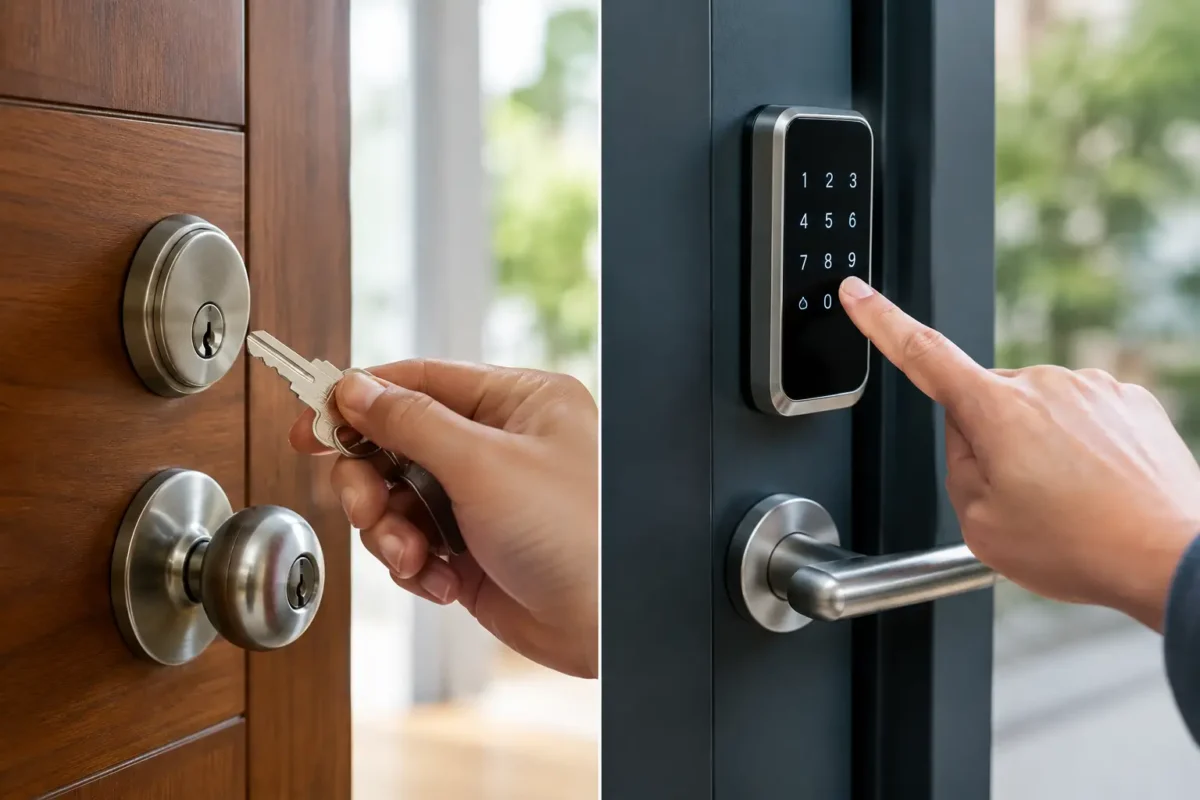
A lost house key, an employee who needs access after hours, or a tenant move-out can quickly turn mechanical versus electronic access into a real security decision. The right answer is not always the newest technology. It is the system that gives you dependable entry, appropriate control, and a clear plan when something goes wrong.
For homeowners and businesses in the Denver Metro area, that choice often comes down to how many people need access, how often access changes, and how much oversight you want. A traditional keyed lock remains practical and reliable in many situations. Electronic access adds convenience and better control, but it also requires the right hardware, setup, and maintenance.
Mechanical Versus Electronic Access: The Main Difference
Mechanical access uses a physical key, cylinder, deadbolt, lever, or panic hardware to control a door. The user inserts, turns, or presents a physical key, and the lock operates without batteries, software, Wi-Fi, or an electrical connection. It is familiar, straightforward, and often the best fit for a single-family home, storage area, mailbox, or small office with limited users.
Electronic access uses a code, key card, fob, mobile credential, biometric reader, or electronic key to release a lock or door. Smart locks and keypad deadbolts are common residential examples. Commercial systems may use card readers, electric strikes, maglocks, door controllers, and audit software to manage multiple doors and users.
The most meaningful difference is control. With a mechanical key, access is controlled by who has a copy. With an electronic system, access can often be assigned, changed, scheduled, or removed without changing the lock hardware.
When Mechanical Locks Make the Most Sense
Mechanical locks are not outdated. A quality deadbolt installed correctly is a dependable security choice, especially when the number of keyholders is small and stable. There is no battery to replace, no app to configure, and no concern about a weak Wi-Fi signal preventing entry.
For many homeowners, a keyed deadbolt is enough when family members are responsible with keys and there is no regular need to grant temporary access. A new homeowner can rekey the existing locks after moving in, which changes the key combination without necessarily replacing all the door hardware. That is a practical way to regain control after a purchase, rental turnover, or lost key.
Mechanical hardware is also useful on doors that need to function independently from power. Certain commercial doors, gates, and storage areas may benefit from a mechanical override even when an electronic system is present elsewhere. Proper commercial hardware selection matters here because the lock must work with the door, frame, occupancy requirements, and how the space is used.
The trade-off is simple: physical keys are easy to use, but they are harder to track. A key can be copied, passed to another person, or misplaced without the owner knowing. If a keyholder leaves a business or moves out of a rental, rekeying or changing the lock may be necessary to restore security.
Mechanical access is a strong fit when
A traditional lock is usually the practical choice when only a few trusted people need access, the door does not need access schedules, and you want minimal ongoing maintenance. It can also be the right answer when your main concern is reliable day-to-day entry rather than tracking who used a door and when.
High-security mechanical cylinders can offer added key control for businesses or property managers. These systems are designed to make unauthorized duplication more difficult and can be organized around a master-key plan. Still, master-key systems need careful planning. Giving one key access to too many doors may be convenient, but it can create unnecessary exposure if that key is lost.
Where Electronic Access Has a Clear Advantage
Electronic access is most useful when access changes frequently or many people use the same property. Instead of collecting keys from employees, contractors, cleaners, dog walkers, or tenants, an owner can issue and remove codes, fobs, cards, or mobile credentials.
At a home, a keypad or smart lock can eliminate the need to hide a spare key outside. You can create a temporary code for a guest or service provider and remove it afterward. Some locks can notify the owner when the door is unlocked or allow remote locking, provided the system has been installed and configured correctly.
For a small business, electronic access control can make a noticeable difference in daily management. A manager can set business-hour schedules, restrict certain users to specific doors, and review entry events when the system supports audit trails. This is especially helpful for offices, retail back rooms, medical-adjacent workplaces, and multi-tenant properties where keys change hands often.
Electronic access is not automatically better security just because it is digital. The quality of the lock, the strength of the door and frame, the way credentials are managed, and the backup plan all matter. A poorly installed smart lock on a weak door does not solve the underlying security issue.
Consider power, batteries, and overrides
Every electronic access system needs a plan for power loss or battery failure. Residential keypad and smart locks typically use batteries, so regular battery checks are part of ownership. Many give low-battery warnings, but waiting until the lock stops responding is not a good maintenance plan.
Commercial access control systems may use wired power and backup batteries. Depending on the application, a door may be designed to unlock or remain secured during a power interruption. That decision is tied to life-safety requirements, local codes, fire alarm integration, and the type of door hardware in use. It should be handled by a qualified professional, not guessed at after installation.
A mechanical key override can be valuable on many electronic locks. It gives the owner a fallback option if batteries fail, a code is forgotten, or an electronic component has a problem. Keep that override key secure and accessible to the people who truly need it.
Security Is More Than the Lock on the Door
Whether you choose a key or a credential, the lock is only one part of the opening. A locksmith should also look at the deadbolt strike, mounting screws, door alignment, frame condition, hinges, and the gap around the door. If the latch does not fully engage because the door is sagging or the strike plate is loose, even premium hardware may not perform as intended.
For businesses, the door’s purpose matters just as much. A public-facing entry, employee-only room, emergency exit, warehouse door, and server closet should not all be treated the same way. The right setup balances controlled access with safe, code-compliant egress. People must be able to leave safely without needing a key, code, or special knowledge.
For residential properties, think about the full routine. If children, older relatives, or frequent guests use the door, a complicated app-only lock may cause more trouble than it solves. If you regularly travel or manage deliveries and service appointments, a keypad can reduce the risk of spare keys being left in unsafe places.
A Practical Way to Choose Your System
Start with the people who need access. If that group is small and rarely changes, a properly installed mechanical deadbolt may be the most affordable and dependable option. If users come and go often, electronic access can reduce the hassle and security risk of unreturned keys.
Next, consider the consequences of a lost credential. Losing a house key may call for rekeying. Losing a fob may only require deleting that fob from the system. On the other hand, an electronic system needs someone responsible for batteries, codes, administrator access, and updates. Convenience only works when it is managed.
Finally, consider the door itself. Not every smart lock fits every door preparation, and not every commercial door can accept the same access-control hardware. A professional assessment can prevent common problems such as misaligned latches, incompatible hardware, damaged trim, or a lock that prevents the door from closing correctly.
The Case for a Hybrid Setup
Many properties do best with both mechanical and electronic access. A homeowner may use a keypad deadbolt at the main entry while keeping keyed locks on a side gate or shed. A business may use electronic credentials at exterior and staff doors while using mechanical locks for low-traffic closets or backup access.
A hybrid approach can also limit cost without giving up control where it matters most. Put electronic access at doors with frequent user changes, after-hours activity, or sensitive areas. Use quality mechanical hardware where access is simple and stable.
If you are unsure which setup fits your door, start with the problem you are trying to solve: lost keys, staff turnover, temporary access, lockouts, or an aging lock that no longer works reliably. BS Locksmith can assess the door and recommend a practical mechanical, electronic, or hybrid solution that fits how you actually use the property. The best access system is the one your household or team can operate confidently, maintain consistently, and rely on when it matters.