
Access Control System Installation Guide
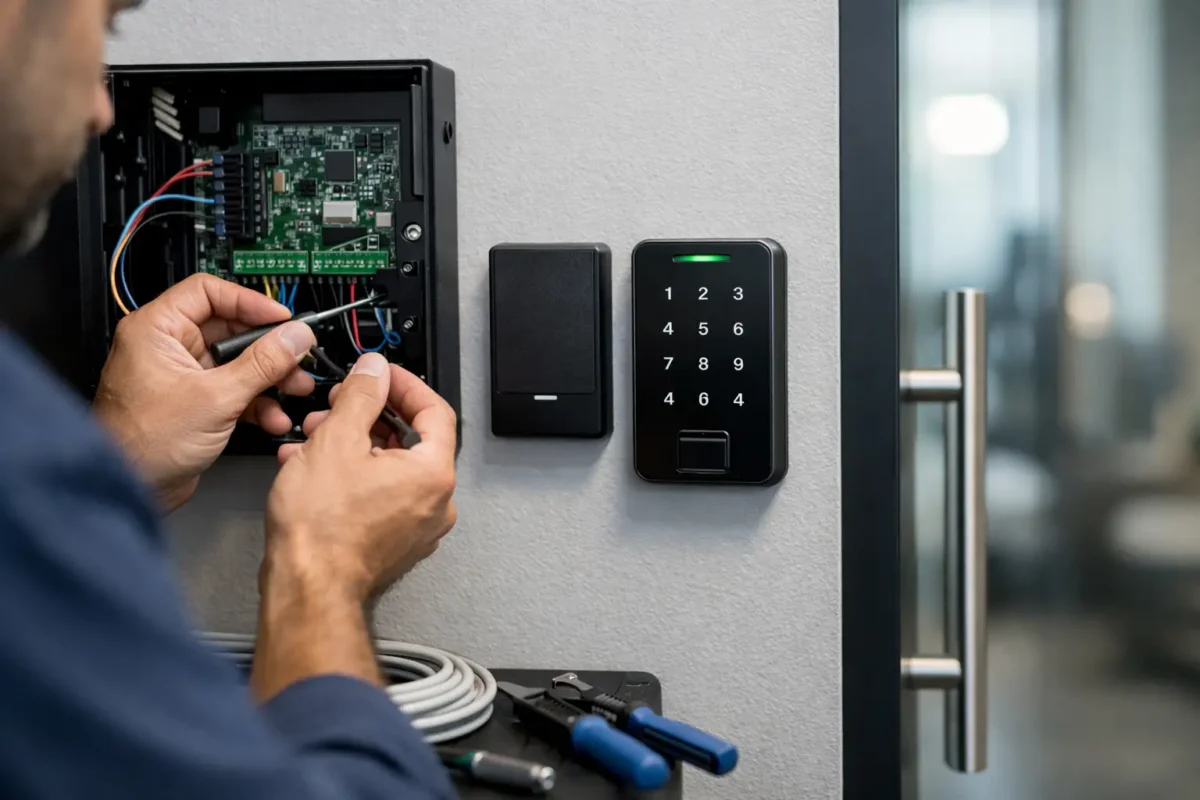
A front door that stays locked is only part of the job. For many businesses, the real problem is knowing who came in, when they came in, and whether the wrong person still has access after a staffing change. That is where access control system installation starts to make sense. It replaces the guesswork of copied keys and inconsistent lock habits with a system you can manage.
For a small office, retail space, warehouse, clinic, or multi-tenant property, the right setup can tighten security without slowing people down. But results depend on more than picking a keypad or card reader. Good planning matters. The door, the hardware, the wiring, the credentials, and the day-to-day use all have to work together.
What access control system installation actually includes
A lot of people picture a reader by the door and leave it at that. In practice, access control system installation is a combination of electronic hardware, locking components, power, programming, and user setup. The reader is only one piece.
Most systems include a credential method such as keycards, fobs, PIN codes, mobile credentials, or biometrics. That credential tells the system who is asking for entry. The system then communicates with a controller, which decides whether to unlock the door based on the permissions you set.
The lock itself may be a magnetic lock, electric strike, electrified lever, or another compatible hardware option. What works best depends on the door type, the frame, fire code requirements, traffic flow, and how secure the opening needs to be. A glass storefront door has different needs than a metal rear employee entrance.
There is also the practical side that people rarely think about until installation day. Does the door close properly every time? Is the frame aligned? Is there already usable power nearby, or will wiring need to be run? If the existing door hardware is worn out, putting electronics on top of a bad mechanical setup usually creates more problems than it solves.
When a business should upgrade
Some businesses wait until they have a security issue. Others upgrade because their current routine wastes time. Both are common.
If you are passing around physical keys, changing locks after employee turnover, or struggling to control who can enter certain areas, an access system may be the more practical answer. The same goes for businesses that need an audit trail. If you want a record of entry events instead of relying on memory or camera footage alone, electronic access can help.
Property managers also benefit when several people need different levels of access. Maintenance staff may need one schedule, office staff another, and vendors a limited window. With traditional keys, that gets messy fast. With managed credentials, you can add or remove access without collecting every old key back.
There are trade-offs, though. A simple keyed lock is familiar and inexpensive to maintain. Electronic systems add convenience and control, but they also add components that need correct setup and occasional service. The right choice depends on the building, the traffic, and how much control you actually need.
Planning the system before installation
The best installations usually start with a site-specific plan, not a catalog of gadgets. One door may be enough for a small business. Another property might need separate access points for staff, deliveries, storage, and management.
The first question is which openings need control. Not every door needs electronics. In many cases, it makes more sense to secure the main entry, one interior restricted area, and a rear service door rather than trying to convert the entire building at once.
The next question is how people will use the system. A busy office with regular staff movement may benefit from key fobs or mobile access. A smaller space with only a few authorized users might do fine with a keypad. If there is a concern about shared PINs, cards or app-based credentials usually provide better accountability.
Then there is the issue of management. Some owners want a basic local system. Others want cloud-based control so they can add users, revoke access, or check activity remotely. Remote management is convenient, but it depends on stable network setup and clear admin practices. If no one on site wants to deal with software, keeping the system simple may be the better long-term choice.
Access control system installation and door hardware compatibility
This is where many installation problems start. People assume any lock can be converted. That is not always true.
Door construction matters. Hollow metal doors, aluminum storefront doors, wood doors, and glass doors all present different installation conditions. The frame matters too. So does traffic level. A high-use employee entrance needs hardware that can stand up to repeated cycles without creating alignment problems.
Life safety requirements also matter. Some doors need panic hardware. Some openings must release under certain conditions. Some spaces have fire-rated assemblies that limit what can be modified. A proper setup has to respect those requirements from the beginning, not as an afterthought.
This is one reason a professional assessment helps. If the latch, closer, hinges, or frame are already failing, electronic components will not fix the underlying issue. A controlled opening has to be a properly functioning opening first.
Choosing credentials and control features
Different businesses want different levels of convenience and accountability. There is no one-size-fits-all option.
Keycards and fobs are still popular because they are easy for staff to use and easy to disable if lost. PIN codes avoid carrying a credential, but shared codes can become a problem if employees pass them around. Mobile credentials are attractive for some offices because most people already carry a phone, though they may require more user onboarding. Biometric access can reduce credential sharing, but it raises privacy and budget considerations that are not right for every property.
Features matter too, but only if they fit the actual need. Scheduled locking and unlocking can help businesses with regular hours. Audit trails can help with internal accountability. Separate user groups can limit who enters inventory rooms, offices, or maintenance spaces. The mistake is paying for features no one will use or skipping features that would solve a daily headache.
The installation process in real terms
A good installation should feel organized, not disruptive chaos. It usually begins with confirming the door condition, mounting locations, power requirements, and the intended function of each opening.
From there, the hardware is installed and connected. That may include readers, controllers, strikes or maglocks, request-to-exit devices, door position sensors, and power supplies. Programming follows, with user permissions, schedules, and credential enrollment set to match the building’s routine.
Testing is where quality shows up. The door should lock and release correctly, close fully, and respond the way it is supposed to during normal entry, exit, and after-hours conditions. If there is backup power or integration with other systems, that needs to be tested too.
Just as important, someone needs to show the customer how to use it. A system is only helpful if the owner or manager knows how to add a user, remove a credential, and handle common issues like a lost fob or a changed schedule.
Common mistakes to avoid
The biggest mistake is choosing the system before understanding the door. The second is treating every opening the same.
Another common issue is poor permission planning. If everyone gets the same access all the time, the system may not give you much more control than a key ring. It helps to think in roles. Who needs daily access, who needs limited access, and who should only enter with approval?
Businesses also run into trouble when they ignore maintenance. Batteries, backup power, door closers, and credential management all need occasional attention. Electronic access is convenient, but it is not something you install and forget forever.
And then there is expansion. If you think you may add more doors later, say that early. A system that fits one opening today may need a different controller or management setup if the property grows.
Why professional installation matters
Access control combines locksmith work, door hardware knowledge, low-voltage components, and practical security planning. If any part is off, the system can become unreliable fast.
Professional installation helps reduce those weak points. The door gets evaluated as a working assembly, not just a mounting surface. The hardware is matched to the opening. The release and exit functions are set up correctly. The system is tested as a whole instead of pieced together in a way that leaves gaps.
For business owners and property managers, that usually means fewer callbacks, fewer daily frustrations, and a setup that is easier to manage over time. A local mobile locksmith company that handles commercial security work can also be a practical fit when you want one point of contact for the hardware, the locks, and the access side of the job.
If you are considering access control system installation, think beyond the reader on the wall. Think about the door, the people using it, and how much control you really want day to day. The best system is not the most complicated one. It is the one that fits your building, works every day, and makes security easier instead of harder.