
Biometric Locks Comparison for Homes and Businesses
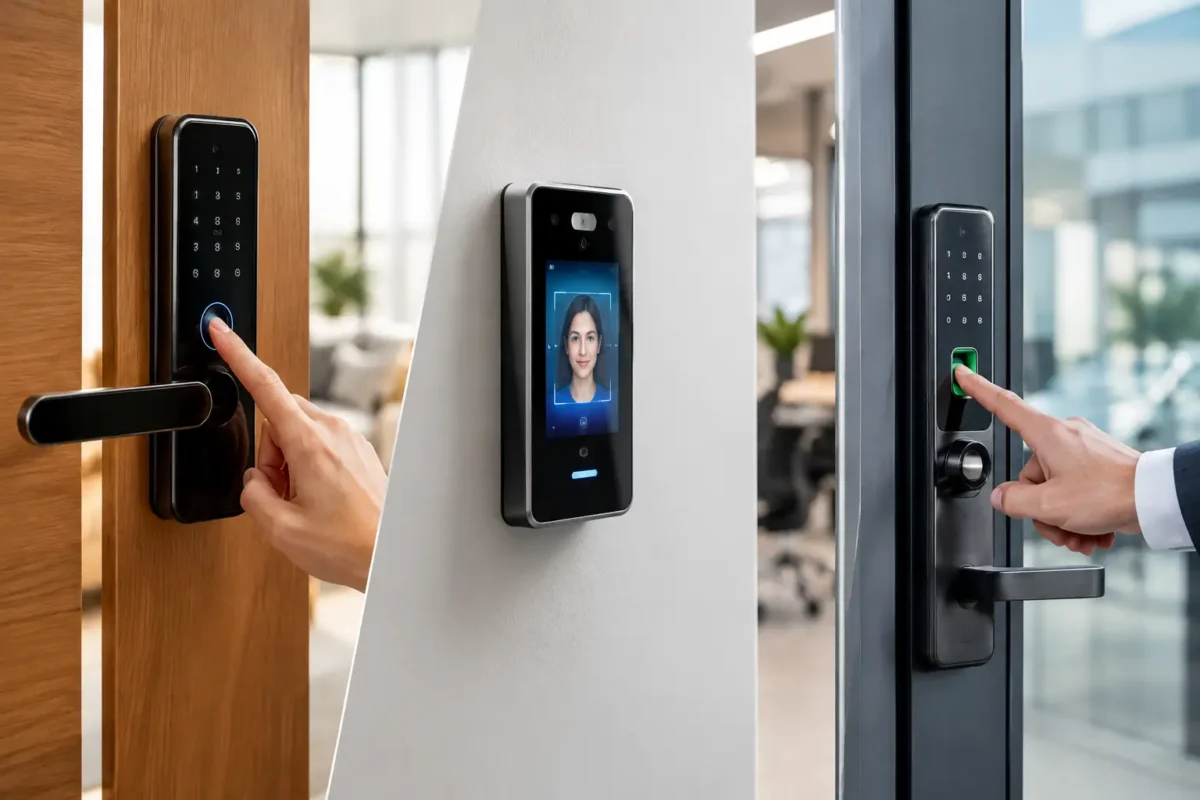
A key can be copied, lost, left with a former tenant, or handed to someone who should not still have access. That is why a biometric locks comparison starts with a practical question: who needs to enter your property, and how do you want to control that access? Fingerprint locks can make daily entry faster, but the best choice depends on the door, the number of users, backup access needs, and how much control you need after installation.
For a family home, a fingerprint deadbolt may be a convenient replacement for carrying house keys. For a rental property, a keypad or app-managed lock can be easier to update between tenants. For an office, biometric access may be one part of a larger access control setup. The right answer is rarely the feature with the longest list. It is the lock that works reliably for your property and the people using it.
What Biometric Locks Actually Do
A biometric lock verifies a physical trait instead of relying only on a metal key, code, card, or phone. Most residential and small-business biometric locks use a fingerprint reader. When a registered finger is placed on the sensor, the lock compares the scan to stored fingerprint data and releases the locking mechanism if it recognizes the user.
Many models also include another entry method, such as a keypad, mechanical key, mobile app, or key fob. That backup is not a minor detail. A fingerprint reader can be less consistent when hands are wet, dirty, injured, or covered by gloves. A lock should still give authorized people a dependable way to get inside when the sensor is not cooperating.
Fingerprint technology is useful because it removes the need to distribute physical keys to every approved user. It does not mean the door is automatically more secure than every traditional lock. The lock body, deadbolt strength, strike plate, door frame, installation quality, and user management all matter just as much.
Biometric Locks Comparison: The Main Types
Fingerprint deadbolts
Fingerprint deadbolts are the most common choice for front doors, side entries, and private offices. They usually replace a standard deadbolt and let you register multiple fingerprints. Some store a small household list, while others are designed for many users.
Their biggest advantage is convenience. A homeowner coming in with groceries does not have to search for keys. A business owner can give trusted employees fingerprint access without issuing keys that may disappear. The downside is that fingerprint reading is sensitive to placement, sensor quality, and conditions at the door. Cheaper hardware may be frustrating if it does not read consistently.
This option is often a good fit for owner-occupied homes and small offices with the same users entering regularly. It is less ideal when people frequently wear gloves or when access needs change every week.
Biometric lever locks
A biometric lever lock combines a fingerprint reader with a door lever rather than a separate deadbolt. These are often used on interior offices, supply rooms, private workspaces, and doors where a latching handle is already needed.
The main consideration is security level. Many lever locks provide access control for interior doors but are not intended to be the only security hardware on a main exterior entrance. Check whether the model is rated for exterior use and whether your door needs a deadbolt as well. A locksmith can review the existing door prep, handing, latch, and hardware before recommending a replacement.
Fingerprint locks with keypad backup
For many homes, this is the most practical combination. The fingerprint reader handles everyday entry, while the keypad provides a fallback for family members, guests, contractors, or anyone whose print may not read well at that moment.
The keypad also gives you an option for temporary access. A dog walker, house cleaner, or visiting relative may not need permanent fingerprint registration. Depending on the lock, you may be able to issue a code and remove it later. For a household that wants convenience without relying on one method of entry, dual-access hardware is usually the safer choice.
App-connected biometric locks
App-connected models add mobile control to fingerprint access. Depending on the lock, the app may show activity history, manage users, send status alerts, or allow remote locking and access changes. This can be useful for property managers and business owners who need more visibility than a standalone lock provides.
The trade-off is complexity. App-enabled hardware depends on batteries, phone settings, wireless connectivity, and account security. A good setup uses strong account credentials, current software, and carefully managed user permissions. It is also worth considering what happens if the internet is unavailable. The lock should continue to work locally with fingerprints, codes, or another backup method.
Commercial biometric access control
Larger offices, clinics, warehouses, and multi-door businesses may need more than a smart lock at one entrance. Commercial biometric readers can work with electric strikes, maglocks, door controllers, audit trails, and scheduled permissions. This allows a business to decide which employees can enter specific areas and at what times.
This setup is more capable, but it also needs proper planning. Fire and life-safety requirements, emergency exit hardware, door condition, power, wiring, and local code requirements all affect the design. A standalone biometric lock is not a substitute for a properly installed commercial access control system when a business needs controlled access across multiple doors.
Security Depends on More Than the Reader
A fingerprint reader gets most of the attention, but a weak door frame can defeat a strong electronic lock. Before changing hardware, look at the full entry point. An exterior door should have a properly fitted deadbolt, solid strike plate, long enough mounting screws into the framing, and a door that closes and latches correctly.
Battery maintenance matters, too. Most biometric locks are battery powered, and low power can cause inconsistent operation before the batteries are fully depleted. Replace batteries on a schedule, use the manufacturer-recommended type, and keep the emergency power instructions available. Do not assume the mechanical key override will be easy to use if it has never been tested.
User management is another security issue. Delete fingerprints and codes for former employees, ex-tenants, contractors, and anyone who no longer needs entry. If your lock does not make it easy to remove users, it may not be the right model for a rental or workplace with frequent turnover.
Choosing for Your Property
Homeowners should focus on dependable daily use. A fingerprint deadbolt with keypad backup is often a sensible choice for a primary entry door, especially when several family members need access. If the home has older doors or misaligned hardware, correct the door and frame issues first. Even a well-made lock can bind when installed on a door that is sagging or difficult to close.
Rental owners and property managers should prioritize easy credential changes. Physical keys can require rekeying or replacement after turnover. A keypad or app-managed lock can simplify access updates, while fingerprint registration may work best for long-term residents or staff rather than short-term occupants. Keep a documented process for removing old codes and permissions at every turnover.
Small businesses need to think about accountability and emergency access. A private office may only need a biometric lever with a backup key. A business with employee turnover, sensitive records, inventory rooms, or several entry points may benefit more from an access control system that records activity and lets managers adjust permissions without collecting keys.
Drivers should be careful about using biometric locks as the only solution for vehicle access. Automotive security systems are different from residential smart locks, and modern car keys often involve transponder chips or programmed fobs. If you are dealing with a lost vehicle key or a key fob that no longer works, the right repair is usually automotive key replacement or programming, not an add-on biometric device.
Installation Is Where Convenience Can Go Wrong
Most electronic lock problems are not caused by the fingerprint itself. They come from poor alignment, incorrect door preparation, loose mounting, incompatible hardware, or skipped programming steps. The bolt must move freely into the strike without forcing the motor. If it drags, the lock may drain batteries quickly or fail to secure properly.
Professional installation also helps avoid a common mistake: replacing a working deadbolt with hardware that does not match the door’s thickness, backset, handing, or security needs. For commercial doors, the wrong choice can conflict with existing panic hardware, closers, or building requirements.
BS Locksmith can help homeowners, property managers, and local businesses evaluate whether a biometric lock makes sense for the door they have, then install and program compatible hardware correctly. For properties in Aurora, Denver, Federal Heights, and nearby communities, a local locksmith can also help when an existing lock needs service, rekeying, or a broader access control upgrade.
The best biometric lock is the one your authorized users can operate without frustration, your door can support securely, and your property manager can control when access changes. Choose the backup method as carefully as the fingerprint reader, and treat the installation as part of the security decision rather than an afterthought.