
Electronic Deadbolt Review for Real Home Use
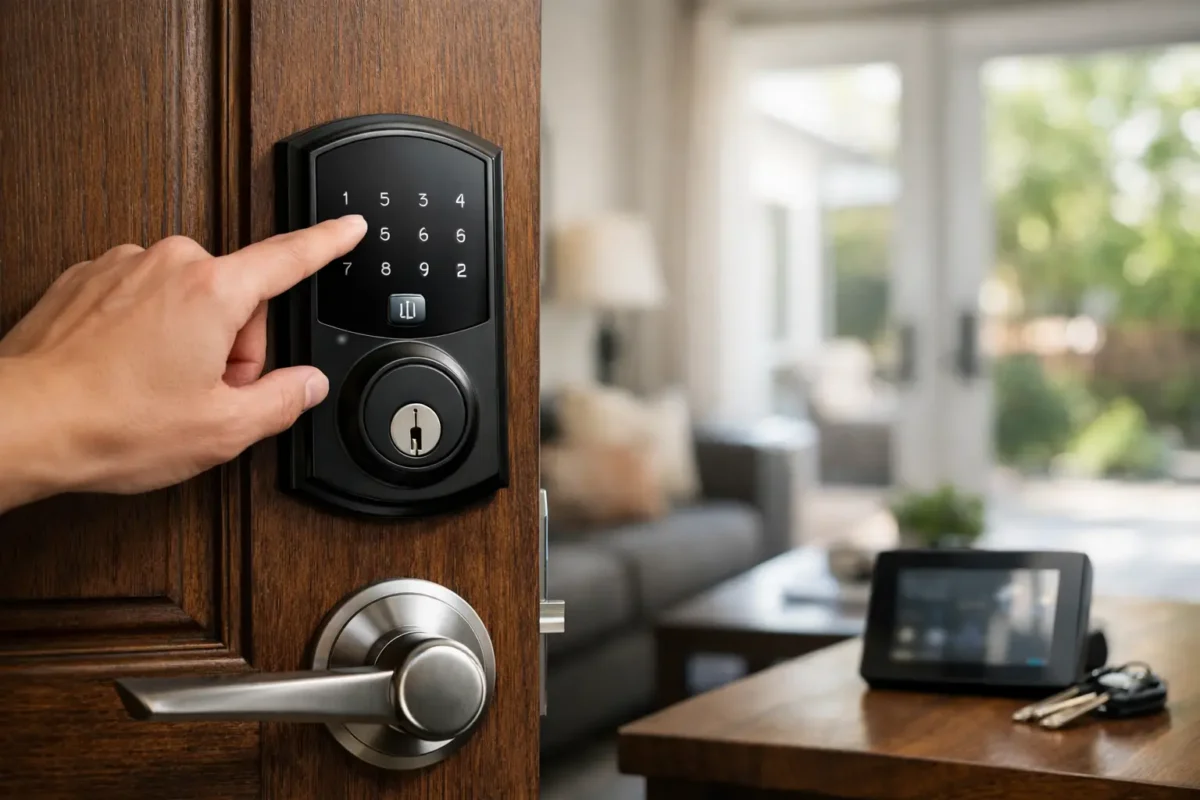
You usually find out what you really think about a lock when your hands are full, your phone battery is low, or someone in the house forgot their key again. That is where a solid electronic deadbolt review matters. The right lock can make daily life easier and tighten up home security. The wrong one can turn a basic door into a recurring headache.
For most homeowners, renters with permission to upgrade, and property managers, the big question is not whether electronic deadbolts are convenient. They are. The real question is whether a specific model is dependable enough for everyday use and secure enough to trust on your front door. That takes more than scanning product claims. You have to look at how these locks perform in real conditions, how they fail, and what kind of support they need after installation.
Electronic deadbolt review: what actually matters
A good electronic deadbolt should do three things well. It should lock and unlock consistently, resist tampering like a quality mechanical deadbolt, and stay manageable when batteries, apps, or Wi-Fi become an issue. If one of those pieces is weak, the convenience starts to wear off fast.
Security comes first. Some buyers get distracted by touchscreen designs, app dashboards, and voice assistant compatibility. Those features can be useful, but the core hardware still matters most. You want a deadbolt with a solid metal bolt, a reliable strike alignment, and a grade that reflects real durability. A smart lock attached to a weak deadbolt is still a weak lock.
The next issue is access. Keypad entry is often the most practical feature because it works without a phone and lets you create codes for family, guests, cleaners, or maintenance staff. App control is useful too, especially for second homes or rentals, but it should not be the only reliable way in. If your internet drops, the lock still needs to function at the door.
Battery performance is another deciding factor. Many electronic deadbolts work well for months, then start acting up when battery levels drop. Some warn you clearly. Others give limited notice, and that is when lockouts happen. A model with a visible low-battery alert and a simple backup entry option is usually the safer choice.
The trade-off between convenience and complexity
This is where many reviews miss the point. More features do not always mean a better lock. In fact, the opposite is often true for busy households.
A basic keypad deadbolt with user codes and auto-lock can be a better fit than a fully connected lock with geofencing, voice control, remote logs, and multiple app permissions. Why? Because every extra feature adds another layer that can fail or confuse users. If you want a lock mainly for family access and fewer lost keys, simpler can be better.
On the other hand, if you manage a rental property or need to issue and remove codes often, app-based control becomes much more valuable. You can change access without visiting the property, see entry history, and keep tighter control over who comes and goes. In that case, the complexity may be worth it.
The best choice depends on how you actually use the door. A main front entry for a family has different demands than a side door, a short-term rental, or a small office.
Installation makes or breaks performance
An electronic deadbolt review is not complete without talking about installation. A lot of lock complaints come from bad alignment, not bad hardware. If the bolt does not slide smoothly into the strike plate, the motor has to work harder every time. That drains batteries faster and can cause repeated lock or unlock failures.
Door condition matters more than many buyers expect. If the door is warped, the frame is shifting, or the bore hole is slightly off, even a good electronic deadbolt can struggle. This is especially common in older homes and doors exposed to Colorado weather swings. Cold, heat, and seasonal movement can affect alignment enough to create problems.
Before buying, check your door thickness, backset, and existing deadbolt prep. After installation, test the lock with the door open first, then closed. The bolt should extend and retract without rubbing or forcing. If it does not, fix the fit before blaming the lock.
For homeowners who want the lock to work right the first time, professional installation often pays off by avoiding repeat battery issues, jam errors, and premature wear.
Keypad, fingerprint, app, or key override?
Different entry methods sound appealing, but they do not all perform equally well in daily use.
Keypads remain the most dependable option for most homes. They are simple, fast, and easy to share with family members who may not want another app. Backlit keypads are especially helpful at night, and physical buttons often hold up better than touchscreens in harsh weather.
Fingerprint readers can be convenient, but they are still inconsistent on some models. Wet fingers, dirty sensors, and cold-weather use can reduce reliability. For a front door that sees constant traffic, fingerprint access should be treated as a bonus feature, not the only one you count on.
App control is useful when it is stable and well designed. The best apps make code management easy, show battery status clearly, and give alerts without becoming noisy or confusing. A weak app can make a good lock feel worse than it is.
A physical key override is still worth having in many homes. Some people prefer a key-free exterior for security or appearance, but a backup key cylinder can be helpful if batteries fail or electronics stop responding. It is one of those features you may not care about until the day you really need it.
Security concerns people ask about most
Homeowners often ask whether an electronic deadbolt is less secure than a traditional deadbolt. The honest answer is that it depends on the lock and how it is installed.
A well-made electronic deadbolt with strong hardware can be just as secure as a standard deadbolt for forced-entry resistance. The electronic features do not automatically make it weaker. What changes is the type of risk. With a mechanical deadbolt, your concerns are usually physical wear, key control, and forced entry. With an electronic deadbolt, you also have to think about battery failure, code management, and in some cases app or network security.
That does not mean electronic locks are unsafe. It means they need to be managed. Change default codes, delete old user codes when someone moves out, keep firmware updated if the model supports it, and do not ignore low-battery warnings. Most lock problems come from poor setup or poor maintenance, not from some advanced hacking scenario.
Best fit by household type
For families, the biggest win is usually keyless entry with multiple user codes. Kids can get in after school, dog walkers can have their own code, and lost house keys stop being a recurring problem. Look for a lock with easy code management and clear low-battery alerts.
For landlords and property managers, remote access features can save time and tighten control. Being able to create, delete, and track codes without visiting the property is a practical advantage. Just make sure the lock also works smoothly at the door without forcing every user through a complicated app setup.
For small business owners, electronic deadbolts can work well on certain doors, but not every commercial entry is a good fit for a residential-style smart lock. Traffic volume, fire code requirements, and door hardware type all matter. In some cases, a proper access control setup is the better move.
What a strong electronic deadbolt review should flag
Any useful electronic deadbolt review should tell you more than whether a lock looks good on the door. It should flag recurring issues that affect real use.
The first red flag is inconsistent locking. If users report that the motor sounds strained or the deadbolt fails unless the door is pushed or pulled, that is a fit issue or a lock issue worth taking seriously. The second is poor battery warning behavior. If the lock goes from fine to nearly dead with little notice, that matters. The third is weak code management. If deleting users is difficult or temporary codes are unreliable, the lock may be more trouble than it is worth.
It also helps to pay attention to weather performance. Some locks handle temperature shifts better than others, and exterior doors see a lot more stress than showroom displays suggest.
Who should buy one and who should skip it
An electronic deadbolt makes sense if you want easier entry, better control over who has access, and fewer problems tied to lost or copied keys. It is especially useful for busy households, rental properties, and anyone upgrading older hardware during a rekey or lock change.
You may want to skip one if your door already fits poorly, you know you will not keep up with battery changes, or you want the simplest possible setup with no codes, no app, and no electronics to think about. There is nothing wrong with choosing a quality mechanical deadbolt if that better matches how you live.
If you are unsure, it helps to think less about features and more about friction. Where does your current lock system create problems? If the answer is constant key sharing, lockouts, or access changes, an electronic deadbolt can solve real issues. If your current setup works fine and you rarely need flexible access, the upgrade may not do much for you.
A good lock should make your day easier without creating new problems. That is the standard worth using, whether you are replacing one front-door deadbolt or planning a broader home security upgrade with help from a local locksmith like BS Locksmith.