
Smart Lock Security: What Actually Keeps Homes Safe
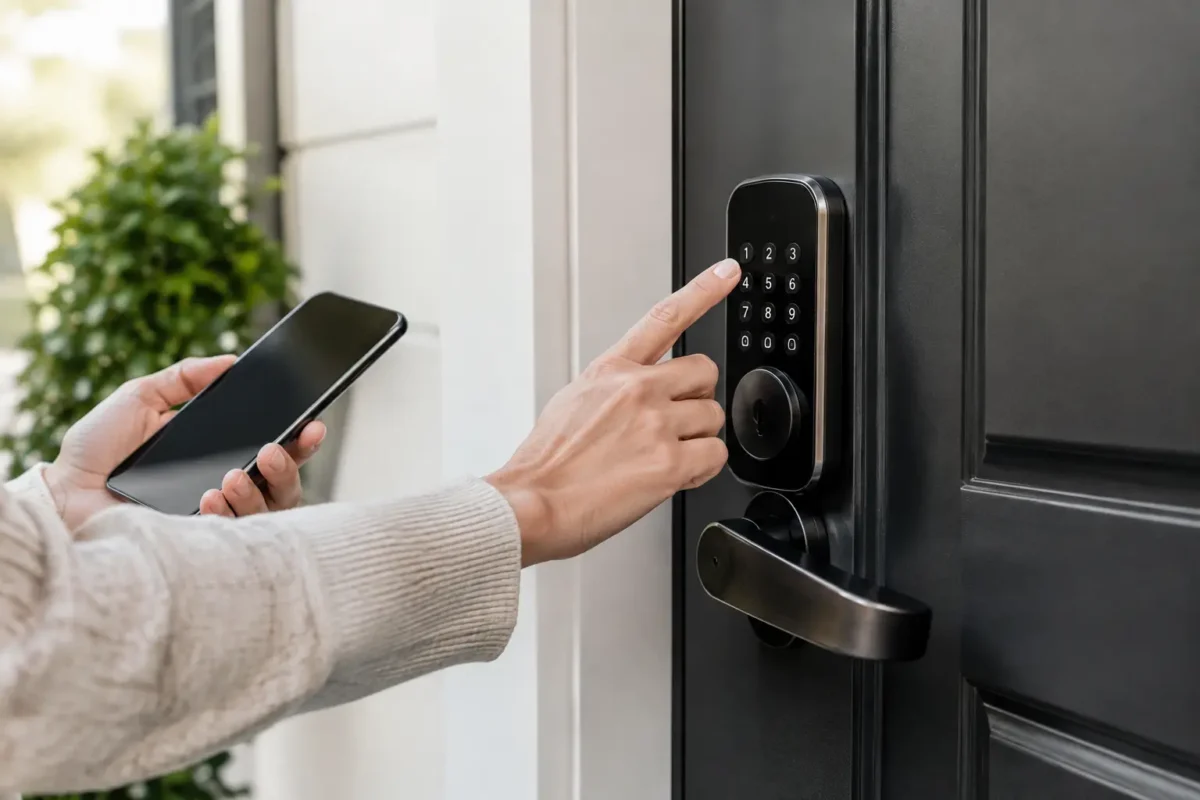
A smart lock can make daily access easier, but smart lock security is only as good as the door, installation, account settings, and habits behind it. A well-chosen lock can reduce the risk of lost keys, make it easier to control who comes and goes, and give homeowners or property managers a clearer picture of entry activity. A poorly installed or poorly managed one can create a new weak point.
For homes, rentals, offices, and small businesses around Denver, the right question is not simply, “Which smart lock has the most features?” It is, “Will this lock make this specific door more secure and easier to manage?” That answer depends on several practical details.
Smart Lock Security Starts at the Door
A smart lock does not strengthen a weak door frame, a loose strike plate, or a worn-out deadbolt hole. The lock may have encryption, app controls, and access logs, but the physical hardware still has to resist forced entry.
Before choosing a smart lock, inspect the whole entry point. The door should close squarely without rubbing or needing to be pushed into place. The deadbolt should extend fully into a properly aligned strike plate. The strike plate should be secured with long screws that reach solid framing, not just the trim around the door. If the door or frame has damage, the lock should not be treated as the only repair.
For exterior doors, a deadbolt-style smart lock is generally the better fit. Smart lever locks can be convenient for some doors, but a deadbolt provides stronger protection for a main entry when the door and frame are in good condition. For businesses, the right hardware may also depend on fire code, ADA requirements, occupancy, and the need for controlled access during business hours.
Choose Features That Solve a Real Access Problem
The best smart lock is not always the one with the longest feature list. Start with how people actually use the door.
A homeowner who frequently has family, dog walkers, or contractors coming by may benefit from individual access codes and temporary codes. A rental owner may need to change access between tenants without replacing physical keys. A small business may need user-specific credentials, scheduled access, and a record of which code was used. If only one or two people use the door and a standard deadbolt already works well, a smart lock may be more convenience than necessity.
Look for a lock from an established manufacturer that supports regular firmware updates. The lock should allow unique codes for each regular user rather than one shared household code. It should also support deleting a code immediately when a tenant moves out, an employee leaves, or a service provider no longer needs access.
Useful security features often include:
- Unique PIN codes for each person who needs regular entry
- Temporary or scheduled codes for visitors, cleaners, and contractors
- An automatic locking setting, used carefully to avoid accidental lockouts
- Activity notifications or entry records when those details are useful
- A physical key override or reliable backup entry method
Not every household needs notifications every time a door opens. Too many alerts can become noise, leading people to ignore the ones that matter. Use alerts for meaningful events, such as an unusual entry time, a code used outside its schedule, or repeated failed code attempts.
Keypad, App, or Connected System?
A keypad smart lock works without requiring every user to install an app. That makes it practical for families, guests, and rental properties. An app can add remote management and activity history, but it also creates account security responsibilities.
Some locks connect directly to Wi-Fi, while others use Bluetooth, a hub, or a home automation platform. Direct Wi-Fi can be convenient, but it may use batteries faster. Bluetooth may conserve power but has a shorter operating range unless paired with a compatible hub. For a business with several doors and multiple users, a more structured access control system can make more sense than managing separate consumer smart locks.
The right choice depends on the size of the property, the number of users, and whether remote access is truly needed. If remote control is not useful for your situation, there is no reason to add it just because it is available.
Secure the Account Behind the Lock
A smart lock is partly physical hardware and partly an online account. If someone gains access to the account, they may be able to change settings, create codes, or monitor activity. That is why account protection matters just as much as choosing a solid deadbolt.
Use a long, unique password for the lock account. Do not reuse the password from your email, social media, or shopping accounts. Turn on multi-factor authentication if the manufacturer offers it. This adds a second verification step before someone can sign in from a new device.
Keep the phone, email address, and recovery information associated with the account current. If a phone is lost or stolen, remove its access as soon as possible. If you sell the home, move out of a rental, or transfer management of a business, reset the lock and remove old owners, administrators, codes, and connected accounts.
Wi-Fi security also deserves attention. Use a strong password for the home or business network, change the router’s default administrator credentials, and install router updates when available. A smart lock does not need to be on a network that is open to guests or poorly protected devices.
Installation Errors Can Defeat a Good Lock
Smart lock installation is more involved than replacing a basic interior knob. The lock must match the door thickness, backset, handing, existing bore holes, and deadbolt preparation. More importantly, the bolt must move freely when the door is closed.
If the bolt scrapes the strike plate or cannot extend fully, the motor has to work harder every time the lock operates. That can drain batteries, cause errors, and leave the door unsecured if the bolt does not engage. Forcing the lock to work against a misaligned door is not a long-term fix.
After installation, test the lock from both sides of the door several times. Confirm that the bolt extends completely, the interior thumb turn operates smoothly, and the physical backup key works if the model includes one. Test the lock with the door open first, then with it closed. Set up codes one at a time and verify that each works as intended.
For exterior doors, consider a professional installation when the door has alignment issues, existing hardware is damaged, the lock requires drilling or modification, or you are unsure whether the deadbolt is properly secured. BS Locksmith can assess the door, install compatible smart lock hardware, and make sure the physical locking points are doing their job.
Manage Codes Like You Manage Keys
One major advantage of a smart lock is the ability to control access without collecting and copying physical keys. That advantage disappears when everyone shares the same easy-to-guess code.
Give each regular user a separate code. Avoid birthdays, street numbers, repeating digits, and simple patterns such as 1234. When a contractor needs short-term access, create a temporary code instead of sharing a family member’s permanent code. Remove it as soon as the work is complete.
For property managers, document who has access and review user lists between tenants or when staffing changes. For small businesses, avoid using one code for the whole team. Individual codes provide accountability and make it possible to remove access for one person without disrupting everyone else.
A smart lock cannot prevent someone from holding the door open for another person, sharing a code, or leaving a spare physical key in an obvious place. Technology helps, but clear access rules still matter.
Do Not Ignore Battery and Backup Planning
Most smart locks are battery-powered. Low batteries do not usually mean the door instantly stops working, but ignoring repeated low-battery notices is an avoidable problem. Check battery status regularly, replace batteries with the type recommended by the manufacturer, and avoid mixing old and new batteries.
Keep a backup plan that every authorized user understands. Depending on the lock, that may be a physical key, an emergency external power connection, another secured entry door, or a trusted local contact. The best plan varies by property, but it should be arranged before a battery failure, lost phone, or app problem creates stress at the front door.
If a lock begins behaving inconsistently, does not fully extend the bolt, or drains batteries unusually fast, have it inspected. The problem may be the lock, but it can also be door alignment, a damaged strike plate, or incorrect installation.
When a Smart Lock Is Not Enough
Smart locks are useful tools, not a complete security system. A home with accessible windows, poor exterior lighting, a damaged garage door, or old locks on secondary entries still has gaps. For businesses, access management may need to include employee procedures, restricted areas, surveillance, panic hardware, and properly configured commercial locks.
A practical security upgrade often starts with the doors used most often, then expands based on real risks. Rekeying after a move, replacing damaged hardware, reinforcing weak strike plates, and adding controlled access can work together. The goal is not to add technology everywhere. It is to make unauthorized entry harder while making authorized access manageable.
Before installing a smart lock, take a few minutes to inspect the door, decide who truly needs access, and choose a backup plan. Those simple decisions will do more for everyday security than an app full of features ever can.