
Mobile Credential Access Trends for Denver Businesses
A lost master key can create a long list of problems: rekeying doors, tracking down copies, notifying tenants or employees, and worrying about who may still have access. Mobile credential access trends are gaining attention because they give businesses another way to issue, manage, and remove access without relying only on physical keys.
For Denver-area offices, multifamily properties, retail spaces, and small businesses, the appeal is practical. An authorized person can use a smartphone, wearable device, or secure app to open an approved door. When their role changes, access can be adjusted from the system instead of waiting for a key to be returned. That does not mean every door should become phone-only. The right setup depends on the building, the users, the existing hardware, and the level of security required.
What Is a Mobile Credential?
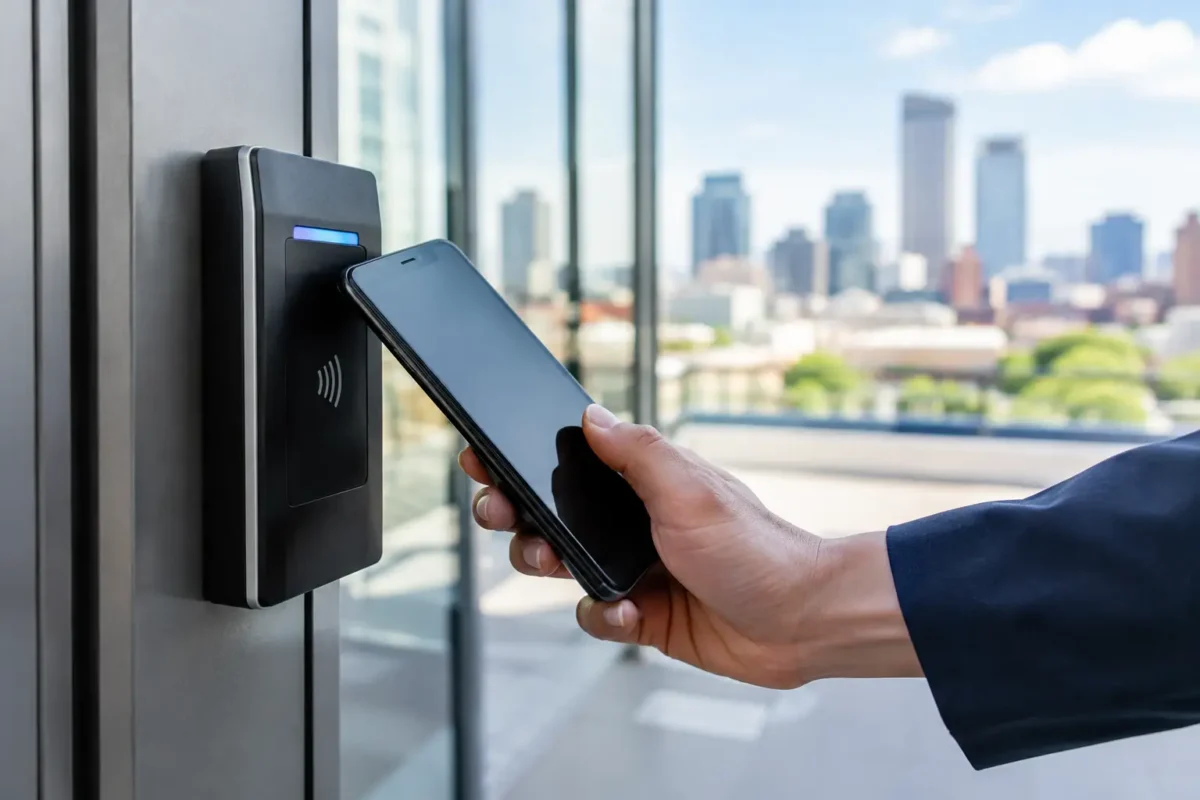
A mobile credential is a digital permission stored on a person’s phone or other approved device. It works with compatible electronic locks, readers, or access control systems. Depending on the system, the user may tap a phone near a reader, hold it nearby, or use Bluetooth-based access.
The credential is tied to a specific user rather than to a shared metal key. That distinction matters. A business can often see which credential was used, set schedules for when it works, and remove it when an employee leaves or a vendor no longer needs entry.
A mobile credential is not simply a remote door opener. Properly configured systems use encryption, account controls, and permissions to help protect access. The quality of those protections, however, varies by product and installation. The lock, reader, software settings, door hardware, and user policies all have to work together.
Why Mobile Credential Access Trends Are Growing
Physical keys are still useful, especially for homes, mechanical locks, backup entry, and areas where electronic access is not necessary. But keys are difficult to track once they leave the building. A key can be copied, passed to another person, or misplaced without anyone realizing it until there is a problem.
Mobile credentials can reduce some of that uncertainty. A property manager can issue temporary access to a maintenance technician. A business owner can limit a cleaning crew’s credential to evening hours. An employee’s access can be removed promptly when employment ends. These capabilities are driving adoption because they solve routine management issues, not because they are flashy technology.
Another factor is convenience. Most people already carry a phone, while physical key cards and fobs are easy to forget or lose. Mobile credentials can also reduce the number of cards and fobs a growing business needs to order, distribute, and replace.
For buildings with several doors, the administrative benefit can be significant. Instead of maintaining separate key rings and paper logs, managers can apply rules through one access platform. It depends on the system, but activity records may show who entered, which door they used, and when the event occurred. That can help with accountability after a security concern or an after-hours access question.
Where Mobile Access Makes the Most Sense
Mobile access is often a strong fit for commercial spaces with changing staff, shared areas, or multiple authorized user groups. Offices may use it for exterior doors, suite entries, storage rooms, and employee-only areas. Small businesses may use it to give owners, managers, and trusted staff different levels of access.
Property managers can use mobile credentials for staff-only spaces, utility rooms, package rooms, amenity areas, and controlled common entrances. Temporary credentials can be useful for contractors when access needs to end after a job is complete.
For residential use, a smart lock with mobile access may be helpful for homeowners who want to manage family access, dog walkers, house cleaners, or short-term repair visits. A homeowner should still consider whether every member of the household is comfortable using the technology and whether a physical key backup is available.
Automotive access is a separate category. Many newer vehicles already use proximity fobs and phone-based functions, but replacement and programming needs vary greatly by make and model. A locksmith can help with compatible car keys, transponder keys, and key fob programming, but not every vehicle supports phone-as-key features.
The Trade-Offs to Consider Before Upgrading
Mobile credentials offer control, but they also create new responsibilities. Someone must manage user accounts, permissions, and software updates. If no one owns that task, a system can become disorganized just as quickly as a poorly managed key cabinet.
Phone battery concerns are another common question. A dead phone should not leave an authorized user permanently locked out. A good access plan includes backup options, such as a physical key, key card, emergency override, or alternate entrance procedure. The right backup depends on the building and the door’s purpose.
Connectivity also matters. Some systems work locally at the door, while others use cloud-based management or require network connections for certain features. Businesses should understand what continues to work during an internet outage and what functions may be limited.
Privacy deserves attention as well. Access logs can be useful for security, but managers should clearly explain how data is handled and who can view it. Access data should be protected like any other business record. Only authorized administrators should be able to add users, change schedules, or review activity.
Finally, not every existing door is ready for an electronic upgrade. Door alignment, latch condition, panic hardware, fire-rated openings, ADA requirements, and building codes may affect the installation. Adding a reader to a door with worn hardware will not fix the underlying problem. In some cases, repairing or replacing the mechanical hardware first is the better move.
Planning a Practical Mobile Access System
Start with the doors that create the most management work or security concern. For many businesses, that is the main employee entrance, a rear door, a stock room, or a shared interior area. There is no need to convert every opening at once if a phased approach better fits the property.
Next, think about user groups. Owners and managers may need broad access. Employees may need access only during scheduled hours. Vendors, cleaners, and contractors may need limited access to only one or two doors. Defining these groups before installation keeps the system easier to manage later.
It also helps to decide how credentials will be issued and revoked. If an employee changes roles, who updates their permissions? If a phone is lost, who removes the credential? If a manager is unavailable, is there another authorized administrator? Clear answers prevent small oversights from becoming security gaps.
A professional site assessment should include more than selecting a lock or reader. The technician should look at the door condition, frame, strike, power requirements, exit hardware, and the way people actually move through the building. A busy rear entrance has different needs than a rarely used records room.
Security Habits That Still Matter
Technology does not replace basic access discipline. Employees should not hold secured doors open for unknown visitors. Shared login credentials should never be used to administer an access system. Former employees and vendors should have access removed as soon as it is no longer needed.
Businesses should also keep an inventory of backup keys, cards, and override methods. Test those backups periodically instead of discovering a problem during a lockout or power issue. For critical doors, have a documented procedure for emergencies, after-hours access, and hardware failures.
Mobile credentials work best when they are part of a broader security plan that includes dependable locks, properly functioning door closers, controlled key copies, and clear access rules. For some properties, a hybrid system of physical keys, fobs, and mobile credentials is the most practical choice.
BS Locksmith can help business owners and property managers assess whether smart locks or an access control system fits their doors and daily operations. The goal is not to add technology for its own sake. It is to make access easier to manage while keeping the building secure.
If your keys, cards, and access requests are becoming harder to control, start with the door that causes the most trouble. A well-planned upgrade at one entry can create a clearer path for the rest of the property.